Here’s the MASSIVE slideshow from the preconference I was a part of for ACRL at the ALA Annual Conference just this past weekend. I was thrilled to be able to present with the team from my library, including the Dean of the Library Theresa Liedtka, our Head of Reference & Instruction Virginia Cairns, our curmudgeonly but kind Assistant Dean & Head of Materials Processing Mike Bell, and our current ILS Manager & Web Technologies Librarian and former Head of Access Services Andrea Schurr. A powerhouse of a team, I think we gave a great preconference about the process behind our renovations and new building. It’s a massive file, but it was also nearly 7 hours worth of content. Enjoy!
Author: griffey
Jason Griffey is the Executive Director of the Open Science Hardware Foundation. Prior to joining OSHF, he was the Director of Strategic Initiatives at NISO, where he worked to identify new areas of the information ecosystem where standards expertise was useful and needed. Prior to joining NISO in 2019, Jason ran his own technology consulting company for libraries, has been both an Affiliate at metaLAB and a Fellow and Affiliate at the Berkman Klein Center for Internet & Society at Harvard University, and was an academic librarian in roles ranging from reference and instruction to Head of Library IT and a tenured professor at the University of TN at Chattanooga.
Jason has written extensively on technology and libraries, including multiple books and a series of full-periodical issues on technology topics, most recently a chapter in Library 2035 - Imagining the Next Generation of Libraries by Rowman & Littlefield. His latest full-length work Standards - Essential Knowledge, co-authored with Jeffery Pomerantz, was published by MIT Press in March 2025.
He has spoken internationally on topics such as artificial intelligence & machine learning, the future of technology and libraries, decentralization and the Blockchain, privacy, copyright, and intellectual property. A full list of his publications and presentations can be found on his CV.
He is one of eight winners of the Knight Foundation News Challenge for Libraries for the Measure the Future project (http://measurethefuture.net), an open hardware project designed to provide actionable use metrics for library spaces. He is also the creator and director of The LibraryBox Project (http://librarybox.us), an open source portable digital file distribution system.
Here’s a collection of the entire Battledecks experience. Crazy funny, and awesomely inventive folks. <wayne&garth> I’m not worthy! I’m not worthy!</wayne&garth>
Seriously, AT&T?
In preparation for ordering iPhone 4, I went about adjusting our AT&T plans this evening…the new tiered pricing actually works out for us, as Betsy rarely uses over 200Megs of data a month. As I was switching her over, I read this amazingly silly EULA from AT&T:
DataPlus 200 MB for iPhone
Terms and Conditions
DataPlus 200MB for iPhone may only be used for the following purposes: (i) internet browsing, (ii) personal email, and (iii) consumer applications. Using iPhone to access corporate email, company intranet sites, and/or other business solutions/applications is prohibited.
Bwahahahaha. Corporate email is prohibited? WTF? Talk about your unenforceable EULA’s….you can’t visit an intranet, for frak’s sake? Seriously, AT&T? Seriously?
And you wonder why people hate you.
After some prodding from Glenn in the comments of my post on Goodreader and the iPad, it turns out that the security culprit doesn’t look like it’s Goodreader at all. It’s the Port 4242 that gave it away, and much thanks to Glenn for pointing it out…I was too concerned with publishing fast, and didn’t follow up the details as well as I should have.
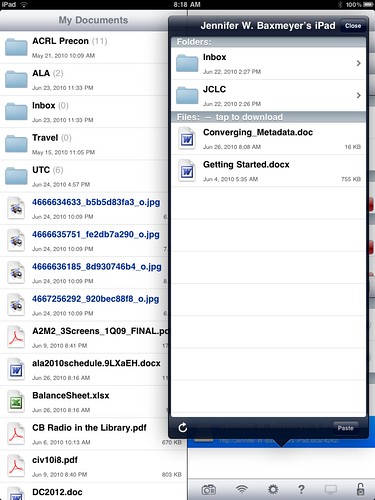
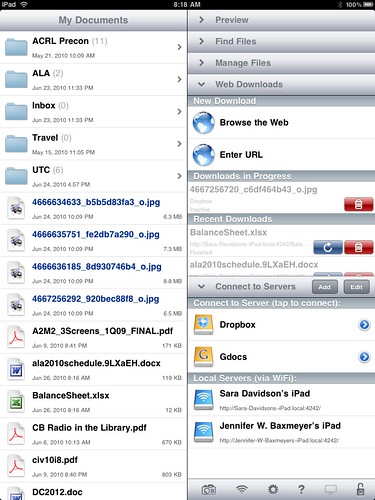
It looks like Goodreader lets you SEE any shared iPad on wifi, but it doesn’t share openly in the way that I described. The bad guy here appears to be QuickOffice, which DOES use port 4242 and share files by default across a shared wifi LAN. I could see in Goodreader the files that someone else had on their iPad in QuickOffice…not the normal set of events for the iOS devices, as the file systems are normally sandboxed to not allow that to happen.
So: revised security alert! If you use QuickOffice on your iOS device (iPhone, iTouch, iPad) please ensure that you have sharing off by default, so that others aren’t able to see your stuff at all.
Here’s the video of the LITA Top Tech Trends panel from ALA Annual 2010. My impressions of the panel were mainly “OMFG I’m on stage with Lorcan Dempsey” and “How big IS this room?”…was very hard to concentrate on the content being put forth while actively involved in it. But I think we all had very interesting things to say. I’ll see about cleaning up my notes and putting them up in a post in the next few days.
I am truly, honestly surprised and thrilled to be crowned (or tiara’d) the American Library Association 2010 Annual Conference Battledecks champion. I still haven’t seen video of my competitors, but I can say with authority that they are all smarter, better-looking, and funnier than I.
Somehow though, I pulled it off. The official ALA video below doesn’t include my entrance, complete with luchadore mask (which I think got me bonus points). I wasn’t going to watch myself, but I realized I was so completely out of it during the thing that I barely remembered anything except the cataloger joke.
NOTE: about that. I worked as a serials cataloger for the 2 years of my degree at UNC-Chapel Hill, and took every class in cataloging offered. I have great respect for catalogers. But sometimes, you just have to go for the obvious joke. Please don’t hurt me.
Goodreader is by far the best interface and app for handling different filetypes on the iPad…PDFs, doc files, images, etc. But this morning at the ALA Annual conference I discovered one really scary security issue with it. By default, Goodreader doesn’t require authentication or any warning to connect via Bonjour, and it allows you to browse AND DOWNLOAD any files that are so shared. Sitting in the Conference Center lobby, I was able to connect to two different iPads, view and grab files arbitrarilly, and push files TO the iPads as well.
This is INCREDIBLY SCARY. In the first 2 minutes, I saw files that had credit card information, passwords, bank account information, and more.
If you are using Goodreader and are connected to any public wifi point, make sure that you have gone into Settings, Other Settings, and make sure that Ask Permission Before Connecting is ON.
Code Monkey a la LSW
Here’s what happens when someone offhandedly makes a comment about a music video on Friendfeed: dozens of librarians, thousands of miles apart, put together a small, almost-musical tribute to JoCo.
I discovered three things in watching this:
- My voice isn’t all that bad.
- There are people much more musically talented than I.
- Jason Puckett rocks.
Moving to WordPress 3.0
Since I’ve already taken the plunge and moved over to WordPress 3.0 and consolidated my various separate WordPress 2.X installs to it, I thought it would be good to document the process I used to try and help others who might be wary of taking the plunge. There are unlimited ways that you may have your particular install set up, so this may or may not apply. Do not fold, spindle, or mutilate.
It may be obvious, but before you do ANYTHING with your WP install, back up your files and your database. Backing up your files is as easy as downloading your install directory locally via FTP, and if you aren’t familiar with how to back up your database (YOU SHOULD BE BACKING UP YOUR DATABASE REGULARLY) there are good instructions here. Go back up your site, and come back when you’re done.
Everything safe? Ok, now…you want to go to your WordPress dashboard, hit Tools, and Export. What you’ll get is an XML file of all the content from your blog: posts, categories, tags, authors, etc. Save this in a very, very safe place. This is the file that you will use to import your blog into your new WP 3.0 site. Repeat this step for every blog you hope to move, renaming the Export file into something recognizable.
In my particular instance, I had a site set up that went like this: at the root level of my website, I had just a flat HTML file that was my homepage. I had two different WordPress 2.X installs in subdirectories (/wp and /eliza). What I wanted to do was to install WP3.0 in my root directory, and then use the Multisite functionality built in to WP3.0 to re-create the /wp and /eliza blogs, running in the single root-level install.
After backing everything up, I went ahead and installed WP3.0 in the root directory. There is then one bit of manual code you have to add in order to enable multisite capabilities. In your wp-config.php file, just before the line
/* That's all, stop editing! Happy blogging. */
You need to add the line
define('WP_ALLOW_MULTISITE', true);
This enables multisite capabilities. You’ll have to do a little bit of copy/paste into your .htaccess file, but WP walks you through it. When you log into your install again, you’ll see a new set of controls in your dashboard relating to these new capabilities.
One more bit of editing is needed before you move on to creating new blogs and importing your XML files into them…by default, WordPress filters imported XML by removing possible troublesome tags…unfortunateely, including things like <embed> and <iframe> and other instances where you’ve included content in your posts. WordPress does so via a file you can find in /wp-includes called kses.php. In kses.php, you’ll want to scroll down to line 1309 and comment out the three lines under //Post filtering so that they look like this:
// Post filtering
#add_filter('content_save_pre', 'wp_filter_post_kses');
#add_filter('excerpt_save_pre', 'wp_filter_post_kses');
#add_filter('content_filtered_save_pre', 'wp_filter_post_kses');
This will prevent the filter from removing all your youtube videos, slideshare embed, scribd documents, etc. Once you’ve altered the filter and saved it, you’re ready to create your new blogs, hit the Tools menu, and import your XML from your exports above. After the process completes, you should have a working blog with all of your previous content in place exactly as before.
For my particular case, it was important for me to maintain the existing directory paths for /wp and /eliza so as to not break tons of incoming links…WP3.0 handles that perfectly. After all this, I now have WordPress running at the root level of jasongriffey.net, Pattern Recognition and Brand New World working exactly as they were with the separate installs (including permalinks!), and will be moving my previously flat-file homepage into WordPress pages. I’ve got my whole site running on WordPress, and the ability to create new blogs at will in order to expand my setup.
I’m chuffed about the setup, and really, really excited about the possibilities with WordPress 3.0.
New look, new tech
This is the beginning of a new look/feel for jasongriffey.net. I’ve decided to use WordPress for the entire site now, with the release of the 3.0, and the ability to host multiple sites with a single install. I’m going to use WP as a CMS, and plan to play with the look/feel/layout pretty extensively.
For now, if you visit and what you need isn’t here yet, you can find my old layout here.