Categories
Personal

Vonage and Customer Service

The last two weeks have been not the most pleasant with our telephone provider, Vonage. We’ve been using Vonage as our land-line now for something like 2 years, with great results. I’ve been terrifically happy with the quality and features. But now, given my first run-in with their customer service…well, there’s an interesting outcome to this story. Stay with me for the payoff:

So, two weeks ago we came home after a trip to KY to find that something was seriously wrong with our house…cable out, no internet, and because of that, no phone. So we contacted Charter, and they were there the next day to fix the cable and our internet access. But even with the ‘net back…no Vonage.

So I put in an email to support, and that started a 2 week long exchange where they suggested fixes, I tried them, and then they suggested new ones that didn’t work either. It finally came down to the fact that they Vonage router seems fried. Here’s where it gets interesting.

So a new Vonage device on their website starts at $49.99, plus shipping, for the most basic of their boxes. The one I had was a wireless router as well, which pushed the cost up a considerable amount. I asked about the cost for a replacement, and was told that as an existing customer I could get a one time credit of $50. This was where I got interested in the actual customer service aspect of this…they weren’t offering me credit for the fact I’d been down 2 weeks, which seemed an obvious step to me. As well, isn’t it in Vonage’s corner to provide me with equipment, if need be, in order for me to continue being a customer? Even cell-phone companies will give you a reconditioned phone if yours gets broken, and by and large they have the worst customer service in the world.

To make matters worse, they were offering on their website a $79 retail router for $9 to new customers. So a new customer gets a $70 subsidy, but an existing one gets $50. And only after spending two weeks trying to fix the equipment.

So I got aggressive, more from a desire to see what the outcome would be than anything. I told customer support that I found the situation unfair, and that I was unhappy with the outcome. I gave them a chance to step up…and they didn’t. So my next letter, expressing my displeasure, was crossed to the CEO, the Chief Marketing Officer, and the Senior Vice President of Customer Care. How did I get their email addresses? I didn’t…I guessed. I found the emails of other Vonage employees online with a simple Google Search, and noticed that the format was always the same: Firstname.Lastname@vonage.com. Finding the names of any public company’s CEO and such is pretty trivial, and with those two pieces of info, we were off!

So what do you think happened? Not even 12 hours after I sent the email I received a phone call from a Customer Service rep. Said CS rep assured me that I would be receiving, at no cost to me at all, a new Vonage device…the $79 dollar one, as it turns out. Free shipping as well, all credited to my account, device shipping today. Huh.

What’s the moral of our story? That is shouldn’t take complaining to the CEO of a company to get results…the front-line people who are dealing with the public need to be enabled to make decisions like this and engender goodwill. This is even more true in the library…don’t force a patron to wade up the chain of command in order to get something done. Empower your workers, and hire people that have good judgment and can make these calls themselves.
Categories
Personal

New Homepage and Friendfeed

New Homepage

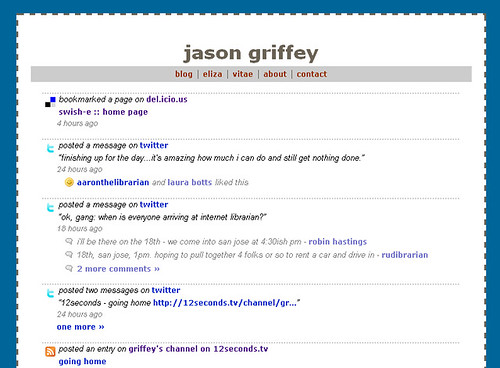
Yesterday, in a fit of frustration at MPOW (well, not really MPOW, but the larger University), I started poking around some feeds, and found someone who had made their FriendFeed into their homepage.

“How did they do that?” I asked myself. Turns out that it’s an embed feature of FriendFeed that doesn’t look like it’s particularly well documented.

The code for the embed is:

<script type=”text/javascript” src=”http://friendfeed.com/embed/widget/USERNAME”></script>

There are at least two variables that seem to work with this string: ?num=VALUE after the username, where value is the number of entries you want to show up, and ?source=VALUE, where value is the source of the feed in your FriendFeed account (Twitter, Last.fm, etc).

So I decided to redo my own homepage, and do something similar, where the FriendFeed just fills the page, with navigational links to my other, more robust online presence. I’ll probably convert it into a two column layout at some point, but for now, it’s a nice lifestream that’s always active and gives a decent accounting of my day-to-day online.

Categories
Digital Culture Media Personal

iPhone template for WP


iPhone template for WP

Originally uploaded by griffey.

Just added the WPTouch template to Pattern Recognition, and Brand New World…very, very nice implementation, and really easy to use. Now checking out BlipIT, from the same group…blip.tv mobile!

Anyway, those of you with iPhones/iPod Touch…check it out, and let me know what you think. I also added an iPhone favicon, so if you add me to your homepage you should get a custom icon for both blogs. I’ll be doing this for LITABlog soon, I think.

Categories
Brand_New_World Uncategorized

Look at me!


IMG_4959.JPG, originally uploaded by griffey.

Eliza’s favorite activity is standing. She can’t yet pull herself to a standing position in the crib, but if you put her that way, she can stay for a long time. She is happy to be at your level, surveying everything in her room.

Big event for the week: Eliza’s first time at daycare without me. She stayed for two hours Monday. They said she cried off and on the whole time, but that she did have moments where she would be consolable an/dor distracted. I guess that’s a good sign. She eventually collapsed and slept, but only for 15 minutes. She’s not used to all the noise and distractions at nap time. Her stranger anxiety is also pretty bad, and I can imagine it’s a bit scary to have people you don’t know trying to take care of you. We’ll try again tomorrow and let everyone know how it goes.

Categories
Media Personal

12Seconds.tv

Yet another Web 2.0 video site, this one with the Twitter-like limitation of only 12 second per video: 12seconds.tv.


Introduction on 12seconds.tv

Categories
Brand_New_World Uncategorized

Strangers?


IMG_4772.JPG, originally uploaded by griffey.

Eliza made her second trek to Kentucky over the weekend.

She has exhibited a serious case of stranger anxiety over the last month or so, crying when someone she doesn’t know gets too close, looks at her funny, or even makes a strange noise. We feared the worst as we packed the car full of her gear for the trip. While she was certainly hesitant at first, she didn’t have any anxiety-ridden outbursts. In fact, for whatever reason, she absolutely loves my brother (see pic). He is the one person besides mom and dad who can hold her and carry her around. It was the first time in months that I felt like I could go out of her sight without major consequences. It felt great. I’m hoping the anxiety phase is waning. We’ll see.

Categories
Library Issues Media Technology

UTC Library video

Take a look at the Fall 2008 UTC Library video that we’ll be pushing out to students and new faculty this Fall. Created by a grad student, now adjunct professor, at UTC, Justin Lewis, with direction from me (who basically just said things like “Make it cool. Slow that down”). The vision was all his. I think it came out remarkably cool.

Categories
Brand_New_World Uncategorized

Little things I forgot

I forgot a few things in the last post. While on her belly, she can also now rotate 360 degrees. It’s pretty funny to see her spinning like a top to get to what she wants (including me, when I’m sitting behind her).

She’s also using a sippy cup now, for water. She holds it by herself and can usually get a drink, although sometimes she gets confused and thinks shaking it helps the water come out.

Categories
Brand_New_World Uncategorized

Small new developments


IMG_4688.JPG, originally uploaded by griffey.

Ok, so maybe it’s not a big deal, but she just learned something today. She can now lift the flaps on one of her books all by herself. It is called Peekaboo Zoo, and there are animals hiding behind different kinds of flaps. Some pull down, some sideways, some upwards. She can do almost all of them by herself, and she even knows the appropriate timing. I’m amazed by her sometimes.

She’s also trying to pull up in her crib any time you sit her up after a nap. We’ll probably have to lower the mattress soon. Ugh, my poor back.

She’s also reaching for people now, which is pretty recent (last couple of weeks). Mainly she reaches for me, but sometimes daddy. And she can also wave “hi.” Sometimes she gets confused and uses both hands, which is super cute.

We’re still waiting on the biggies, like crawling. But all these little developments are fascinating.

Categories
Personal Technology

Testing wordpress for iphone

This is a test post from my iPhone, using the new wordpress app. So far very slick…have four blogs set up in it already!