Categories
Libraries go bOING
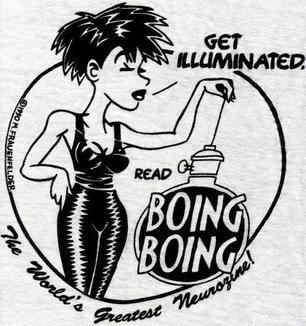 I am incredibly excited that we’re finally launching Library Boing Boing! From the ALA post:
On the one hand, Library Boing Boing is a collaboration between ALA and the fabulously amazing Boing Boing folks to highlight all of the great new things libraries are doing. The most visible result will be regular posts about those great new things on the Boing Boing site itself.
On the other hand, Library Boing Boing: The Group has its own goals to help happy mutants in local communities connect with their happy mutant librarians to do good, work together on our shared interests, and make the world more better.
What can you do? To start with, head on over to the petition to make us a formally recognized ALA Member Interest Group…we need 100 signatures to get in front of the ALA Committee on Organization. Then at ALA Midwinter, it will go before ALA Council for approval.
We’ve already started a Library Boing Boing group over on ALA Connect, so go join that. It’s where we’ll hash out our plans to take over the world figure out what we can do to promote libraries and generally make some awesome happen.
Boing Boing is one of the most popular websites in the world, and having the opportunity to work with them to connect people to libraries is just about the coolest thing ever. I’ve been lucky enough to be featured on Boing Boing four times (1,2,3,4), mostly because the overlap between what libraries and librarians are interested in (freedom of information, democratization of information, copyright, DRM, technology) and what Boing Boing is about is huge. This is a great match, and I can’t wait to get started.
So, as Jenny said on the announcement post:
Start dreaming big. What could a dedicated, motivated, inspired group of librarians do with both Boing Boing and their own local happy mutants? How can we spread Library Boing Boing goodness throughout the profession?
Thanks to Andrea Davis and Patrick Sweeney for co-convening this thing with me, and special thanks to Jenny Levine for the idea and the wrangling! If you’re coming to ALA Midwinter, we’ll have a meetup on Sunday night (location and time TBA), and we’ll have some swag of some type to help identify other Happy Mutants. Keep your eyes out, go sign the petition, join the Connect group, and be on the lookout for wonderful things!
Categories
Scooby Doo as Skeptic Vector
Totally awesome analysis of Scooby Doo teaching kids to be thoughtful and skeptical. Best pull quote:
"The very first rule of Scooby-Doo, the single premise that sits at the heart of their adventures, is that the world is full of grown-ups who lie to kids, and that it's up to those kids to figure out what those lies are and call them on it, even if there are other adults who believe those lies with every fiber of their being. And the way that you win isn't through supernatural powers, or even through fighting. The way that you win is by doing the most dangerous thing that any person being lied to by someone in power can do: You think."
#patrec
Embedded Link

Ask Chris #81: Scooby-Doo and Secular Humanism – ComicsAlliance | Comic book culture, news, humor, commentary, and reviews
Here at ComicsAlliance, we value our readership and are always open to what the masses of Internet readers have to say. That's why every week,
Google+: View post on Google+
Categories
Ripping your books
A really great article from Christopher Harris over on the American Libraries E-Content blog called “What’s Next? Book Match?” is getting passed around the web today. The pull quote that seems to be catching everyone’s attention is:
If I can rip my CD to an MP3, why can’t I scan my book to an EPUB?
I just wanted to step in and say: You can. There is decent case law in place that indicates that format shifting of personal copies is allowable in the United States. There is also strong case law in place for the ability to personally back up media that you legally aquire…both of these indicate that while there may be no clear “Yes you can” statement in copyright law, there is a lot of evidence that it’s perfectly ok for individuals given Fair Use rights in the US.
Moreover, there’s easier and easier ways to digitize books out there. If you haven’t seen the DIY Book Scanner project, go and check it out. This group is doing awesome stuff towards making digitizing books something that isn’t nearly as time-consuming as it once was. Plus, as I often point out in my presentations to libraries and librarians, if you think that digitizing books is going to be difficult forever, well…think again:
OMG WANT! WANT WANT WANT!
EXOdesk first look (by EXOPCTV)
Categories
Rooting the Kindle Fire
After a couple of days with my Kindle Fire, I decided to start playing with sideloading apps, and eventually ran into the limitation of not having the Android Market available on the Fire. I was mainly interested in having the dedicated Google apps (Mail, Maps, Docs, Google+). So I started reading, and found a handful of good tutorials:
Google Apps on the Kindle Fire: http://forum.xda-developers.com/showthread.php?t=1349902
Review Horizon: http://reviewhorizon.com/2011/11/how-to-install-google-android-market-on-kindle-fire/
How to Root the Kindle Fire in One Click: http://www.redmondpie.com/how-to-root-amazon-kindle-fire-in-one-click/
And a piece of software that makes part of the process easier, Root Explorer:
http://www.apktop.com/root-explorer-file-manager-2-17-1.html
It’s a little tricky at times, I had to reinstall the Android SDK a couple of times to get the right pieces in place. But moving through the steps slowly got me to the point where I have a working Kindle Fire with the Android Market installed. I followed the instructions pretty much to the letter, although I did root before the Market installation and then unroot afterwards using SuperOneClick. After unrooting, it’s just like before…but better. Everything seems to work. #patrec
Google+: Reshared 1 times
Google+: View post on Google+